Everyone who has run Linux servers for a while has lived through some version of this incident: one service — a leaky app, a batch job, a runaway query — grows until the whole host starts thrashing, and by the time the OOM killer wakes up, it kills something you cared about more than the actual culprit. The zram and zswap work from part 2 protects you from peaks, but it does nothing against this. Compression buys headroom; it doesn’t assign blame.
This matters more now than it used to. With RAM at 2026 prices, the natural response is to consolidate more workloads onto the hosts you already have — and consolidation is only sane if one service failing can’t take the others down with it. That’s what cgroup v2 and systemd give you, and the good news is that the useful subset is four settings.
Start from what the service actually uses
Before setting any limit, check that you’re on cgroup v2 and look at the service’s real consumption:
stat -fc %T /sys/fs/cgroup
systemctl show app.service -p ControlGroup -p MemoryCurrent -p MemoryPeak -p MemorySwapCurrent
The first command should print cgroup2fs. Replace app.service with your service and watch its peak under representative load. This is the number your budget comes from — the measured working set, not “25% of the host” or whatever arbitrary fraction feels fair.
The four settings that matter
systemd exposes the cgroup v2 memory controls as unit properties:
| systemd setting | cgroup v2 control | Role |
|---|---|---|
MemoryLow= | memory.low | best-effort protection below the boundary |
MemoryHigh= | memory.high | soft boundary with reclaim and throttling |
MemoryMax= | memory.max | hard boundary and final OOM defense |
MemorySwapMax= | memory.swap.max | maximum swap charged to the cgroup |
The design intent is worth understanding, because most people reach straight for MemoryMax and stop there. MemoryHigh is meant to be your main operational control: crossing it triggers reclaim and throttling inside the cgroup, which slows the service down and shows up in your monitoring — pressure you can observe and react to. MemoryMax is the wall behind it. If you set only the wall, the service runs full speed into a hard OOM with no visible warning band before it.
Try it reversibly first
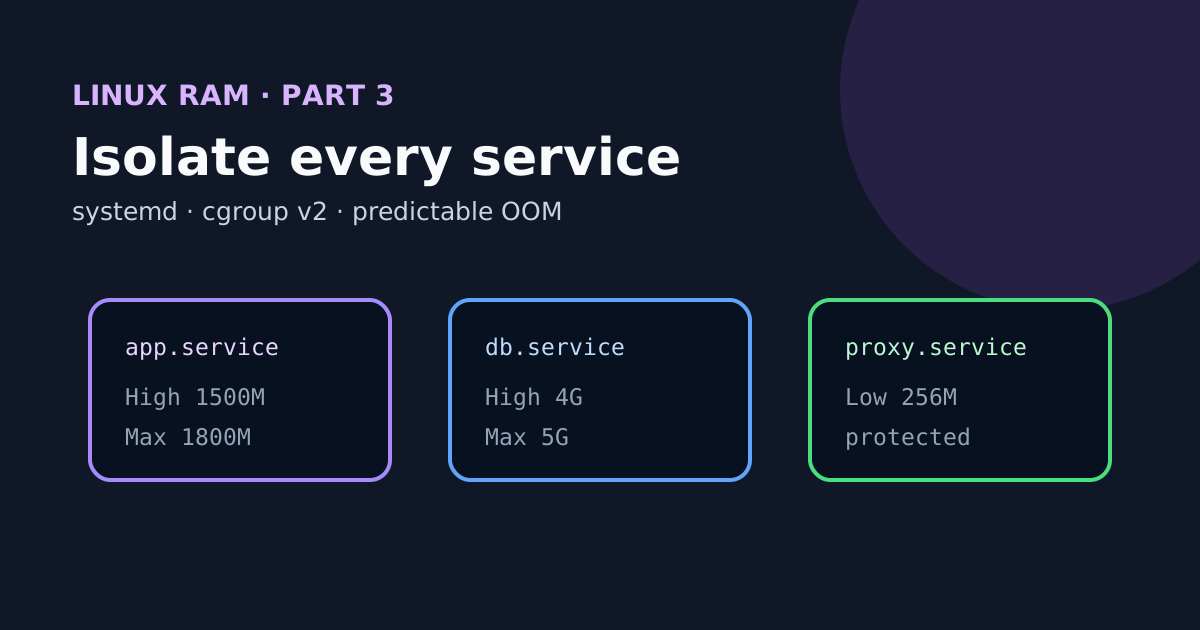
Say the service has a stable working set of 1.2 GiB and legitimate peaks below 1.6 GiB. A reasonable first budget:
sudo systemctl set-property --runtime app.service \
  MemoryHigh=1500M MemoryMax=1800M MemorySwapMax=512M
The --runtime flag means everything disappears at reboot, which is exactly what you want for a test. Now generate load and watch what happens:
watch -n 1 'systemctl show app.service -p MemoryCurrent -p MemoryPeak -p MemorySwapCurrent'
CG=$(systemctl show -p ControlGroup --value app.service)
sudo cat "/sys/fs/cgroup${CG}/memory.events"
sudo cat "/sys/fs/cgroup${CG}/memory.pressure"
In memory.events, a rising high counter means the service crossed the soft boundary — expected occasionally, a problem if constant. oom and oom_kill mean either the budget is wrong or the application is. One subtlety worth internalizing: high PSI inside the cgroup with low PSI on the host proves the isolation is working. It says nothing about whether the service’s latency is still acceptable — check that separately.
To undo just the test limits without touching any pre-existing overrides:
sudo systemctl set-property --runtime app.service \
  MemoryHigh=infinity MemoryMax=infinity MemorySwapMax=infinity
Make it persistent
Once the budget survives real load, put it in an override — never edit the packaged unit file directly:
sudo systemctl edit app.service
[Service]
MemoryHigh=1500M
MemoryMax=1800M
MemorySwapMax=512M
Then:
sudo systemctl daemon-reload
sudo systemctl restart app.service
The restart is a real service interruption — schedule it like one and verify the application afterwards.
Protect what must stay alive
Limits push down; MemoryLow pushes the other way. For a small essential service — the proxy, the monitoring agent, the thing you need working especially when the host is under pressure — it asks the kernel to spare that budget during reclaim, on a best-effort basis:
[Service]
MemoryLow=256M
Two caveats. It only works if applied coherently through the cgroup hierarchy, and the protections you hand out can’t add up to more RAM than exists. Which leads to the obvious discipline: don’t protect everything. If every service is priority, none of them is.
A predictable OOM beats a frozen host
Even with budgets in place, hosts can still end up in trouble, and the kernel OOM killer tends to arrive late and choose badly. systemd-oomd uses PSI and cgroup v2 to act earlier, while the host is still responsive:
systemctl status systemd-oomd
oomctl
The ManagedOOMMemoryPressure= and ManagedOOMSwap= directives depend on your systemd version and unit hierarchy, so check before enabling them:
systemd --version
man systemd.resource-control
man systemd-oomd.service
And keep perspective: a controlled OOM is still an outage. Make sure the unit has a sensible restart policy, that data stays consistent through a kill, and that your alerting can tell an intentional kill from a crash.
Containers: verify the limit actually exists
Container runtimes translate their memory limits into these same cgroups — which means the YAML can say one thing and the kernel another. Verify at the kernel level:
systemd-cgls
systemd-cgtop --depth=3
A container with no limit is not isolated from host RAM at all. A limit below its normal working set means constant reclaim and restarts. A huge limit exists only on paper. The same method applies unchanged: baseline the working set, set a soft boundary with headroom, keep a hard defense behind it, and watch memory.events.
Don’t allocate memory that isn’t there
Last trap: on a 16 GiB host, don’t hand out 16 GiB of MemoryMax across your services as if the kernel, the page cache and simultaneous peaks didn’t exist. Leave explicit room for the kernel and its slab caches, the filesystem cache doing useful work, the access/logging/monitoring services, realistic overlapping peaks, zram or zswap if you enabled them in part 2 — and enough headroom that you can still SSH in and fix things when something goes wrong.
At this point in the series you can measure pressure, absorb peaks with compression, and contain individual services. Part 4 puts it all together: a before/after benchmark and an honest answer to the question that started everything — optimize, or buy the RAM.