Every time I start experimenting with a new framework or API style on OCI Generative AI, I waste the same hour rebuilding the same boilerplate: right credentials, right endpoint, right model ID format, right environment variables. Then I discover that LangChain and the OpenAI-compatible API use a different variable than the raw SDK. Then I find that the newer Responses API needs a project OCID that the chat completions endpoint does not.
None of this is in the official docs in one place. So I stopped rebuilding from scratch and put everything into OCI GenAI Python Starters .
What it is
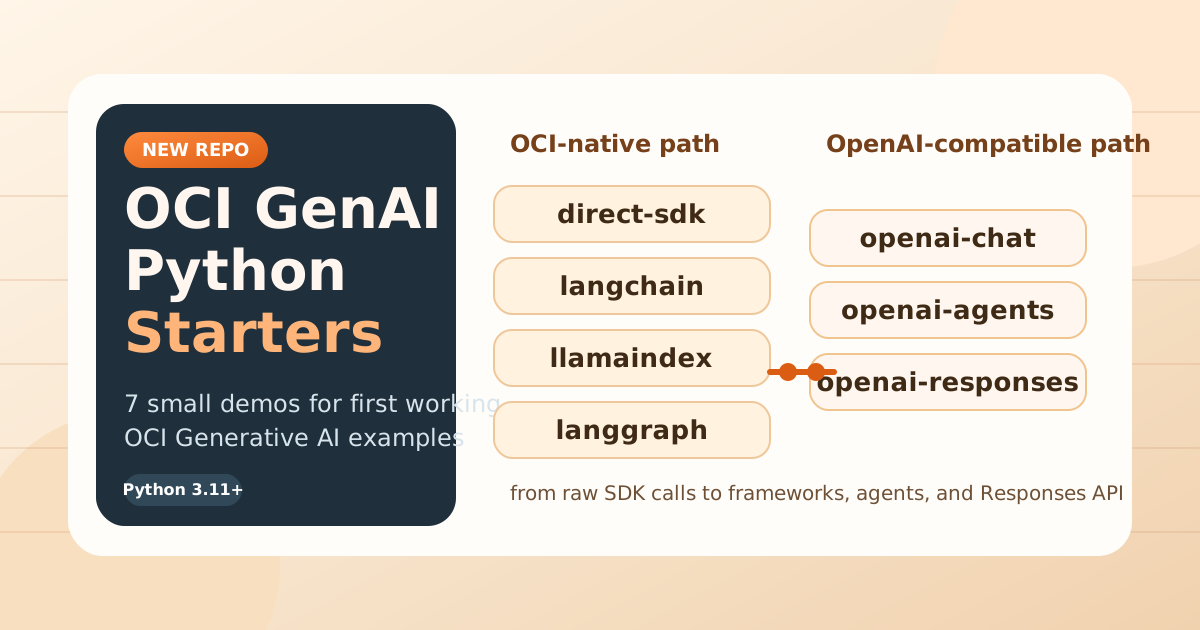
Seven small Python demos, one folder each. Every demo does one thing: send a prompt to an OCI Generative AI model and print the response. No shared utilities, no hidden framework, no production scaffolding. Just the shortest path from credentials to output for each specific approach.
The demos cover the two distinct ways you can call OCI Generative AI from Python:
OCI-native uses the oci SDK directly. You talk to the OCI inference endpoint, authenticate with your OCI profile, and pass an OCI compartment OCID. This is the most direct approach and the one most OCI documentation shows.
OpenAI-compatible uses the openai library, pointed at an OCI endpoint that accepts OpenAI-shaped requests. The reason this exists is practical: a lot of Python code is already written against the OpenAI API. With the OpenAI-compatible path, that code runs against OCI models with a base URL change and OCI authentication injected — no rewrite needed.
The demos map directly to that split:
| Demo | Approach |
|---|---|
direct-sdk | OCI-native, no framework |
langchain | OCI-native via LangChain |
llamaindex | OCI-native via LlamaIndex |
langgraph | OCI-native via LangGraph |
openai-chat | OpenAI-compatible, chat completions |
openai-agents | OpenAI-compatible, Agents SDK |
openai-responses | OpenAI-compatible, Responses API |
The thing that actually trips people up
The two approaches look similar on the surface but use different configuration. OCI-native demos need OCI_SERVICE_ENDPOINT and OCI_COMPARTMENT_ID. The OpenAI-compatible demos need those too — except openai-responses, which uses a completely different base URL (OCI_OPENAI_BASE_URL) and requires a Generative AI project OCID that the others do not.
This is the detail that costs the most time. openai-chat and openai-responses look like the same kind of demo but they are wired differently. The repo makes this explicit in each demo’s .env.example so you can see exactly what each one needs before you run it.
Who it is for
If you are new to OCI Generative AI and want to understand how the API works before adding a framework on top, start with direct-sdk. It shows the raw call with nothing hidden.
If you are already using LangChain or LlamaIndex in a project and want to swap in OCI models, the framework demos show the minimum config needed to make that work.
If you have existing OpenAI code and want to run it against OCI without rewriting it, the OpenAI-compatible demos show the exact differences — including the less obvious one between openai-chat and openai-responses.
The repo is on GitHub: enricopesce/oci-genai-python-starters .