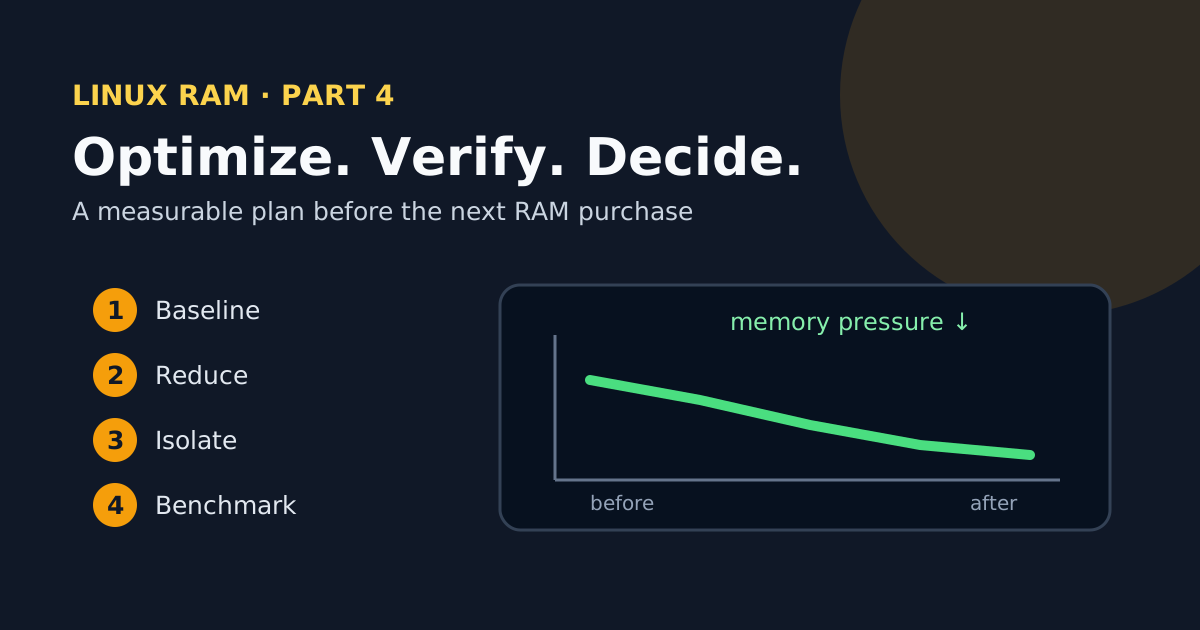
If you search “reduce Linux RAM usage”, what you mostly find is lists of sysctls to paste — set swappiness to this, drop the caches, disable that. I’ve never seen that approach survive contact with a real production host. What works is much less glamorous: a measure-change-verify cycle, applied in the right order — shrink the application working set first, isolate services second, compress third, and buy RAM only when the numbers prove nothing else will do.
This is the final part of the series. It ties together the pressure measurements from part 1 , the zram and zswap profiles from part 2 , and the systemd/cgroup limits from part 3 into a plan you can run start to finish.
1. Define the load and the budget
Nothing else in this plan means anything without a repeatable test window: same dataset, same concurrency, same duration. Record at least:
date -Is
free -h
cat /proc/pressure/memory
vmstat 1 60
ps -eo pid,user,comm,rss,%mem --sort=-rss | head -n 25
Alongside the system numbers, capture the application ones — p95/p99 latency, throughput, error rate, job duration. This is the guard rail for the whole exercise: “less RAM” is not an optimization if it comes with half the useful work.
2. Remove only what is genuinely unnecessary
Start with what’s actually running:
systemctl --type=service --state=running
systemd-cgtop --depth=2
For each candidate, answer three questions before touching it: who uses this, what depends on it, and how do I bring it back. Only then:
sudo systemctl disable --now example.service
The temptation here is to go hunting for every last daemon. Don’t disable security agents, networking, logging or cloud-management tooling to save a few MiB — the savings are trivial and the machine you get back is one you can’t manage anymore.
3. Reduce concurrency, heaps and caches at the source
This is where the real memory is, and it’s the step people skip because it means opening application configs instead of typing sysctls. A cgroup limit protects the host; correct application sizing is what keeps you from hitting that limit in the first place. Three multipliers are worth hunting:
- Workers and threads. 32 worker processes at 200 MiB each is 6.4 GiB before you’ve counted any shared caches. Worker counts are usually set once, generously, and never revisited.
- Maximum heap. JVMs, language runtimes and databases almost always expose an explicit cap — check whether yours reflects what the application needs or what someone guessed years ago.
- Unbounded caches. Any in-process cache without a byte or entry limit will eventually find one for you. Give it a bound and an eviction policy.
Change one variable at a time, and judge by throughput per GiB and latency, not by RSS alone. If halving the workers cuts RAM by 40% and throughput by only 5%, you’ve found a real improvement. And if a service leaks: periodic restarts are a mitigation, not a fix — don’t let them become permanent architecture.
4. Put a bound on tmpfs
Easy to forget: tmpfs grows into memory and swap like anything else. See what you have:
findmnt -t tmpfs
df -h -t tmpfs
For a mount you manage in /etc/fstab, set a size that matches the workload:
tmpfs /srv/app-tmp tmpfs rw,nosuid,nodev,size=1G 0 0
The size is a maximum, not a preallocation, so bounding it costs nothing when usage is normal. Before lowering an existing one, measure the actual peak and test how the application reacts to ENOSPC. And check what you’re actually dealing with — a disk-backed /tmp is not a tmpfs.
5. Apply service budgets
Now apply the pattern from part 3 to the services that matter: MemoryHigh just above the normal working set, MemoryMax as the final defense, MemoryLow only for the truly essential components.
For batch jobs, a transient scope lets you test a budget without writing any unit files:
systemd-run --user --scope -p MemoryHigh=2G -p MemoryMax=2500M ./job.sh
One expectation to set: the job has to handle being slowed down, failing, and retrying. A limit contains a memory-hungry application; it doesn’t make it efficient.
6. Choose zram or zswap
If after all of the above you still have cold, compressible pages, apply one of the two profiles from part 2 — one, not both. Keep the configuration only if the full picture improves:
- PSI
someandfullgo down; - disk swap-in/out and I/O wait go down;
- the CPU keeps headroom;
- p95 and p99 latency don’t regress;
- no new OOM events appear.
If any of those fail, compression is costing you more than it saves. Take it out.
7. Don’t turn sysctls into superstition
I left the sysctls for last on purpose, because that’s where they belong. Keep the defaults until a measurement points at a specific problem:
vm.swappinessexpresses the relative cost of paging — it’s not a RAM switch;vm.vfs_cache_pressurecan reclaim dentries and inodes more aggressively, and hurt filesystem-heavy workloads doing it;vm.overcommit_memorycontrols admission of virtual allocations — it does nothing to your working set;vm.drop_cachesis a testing tool, not periodic maintenance;- Transparent Huge Pages help some workloads and hurt others — they are not a generic RAM saver.
For every change you do keep, write down the old value, the reason, the date, and the rollback command. Future you, at 3 AM, will be grateful.
The before/after table
This is the deliverable of the whole series. Run each configuration at least three times and fill it in:
| KPI | Before | After | Goal |
|---|---|---|---|
Minimum MemAvailable | positive headroom | ||
| Service peak RSS/PSS | below budget | ||
Memory PSI some avg60 | lower | ||
Memory PSI full avg60 | near zero under normal load | ||
| Swap-in per minute | no thrashing | ||
| p95/p99 latency | within SLO | ||
| Throughput | unchanged or better | ||
| OOM/restarts | zero unexpected |
Don’t judge from a single spike in either direction. Compare medians and worst cases over equivalent windows.
When buying RAM is the right answer
After a whole series about not buying RAM, it’s only fair to say clearly when you should. The purchase is rational when all of these hold:
- the load is useful and can’t be removed;
- no leaks or unbounded caches remain;
- concurrency and heaps are properly sized;
- cgroups stop any one service from destabilizing the host;
- compression and swap can’t meet your latency and CPU objectives;
fullPSI, paging or OOM events remain, repeatably.
At that point you’re not throwing money at a symptom — you’re buying a physical working set that the evidence says doesn’t fit. Even at multiplied DRAM prices, that’s the right call, and the benchmark is what protects you from both failure modes: the premature upgrade, and the weeks spent tuning a machine that was simply undersized.
The checklist
Everything from the four parts, in order:
- Baseline recorded with load and SLOs
- Top processes checked with RSS/PSS
- Unnecessary services removed, with rollback
- Workers, heaps, caches and tmpfs bounded
-
MemoryHighandMemoryMaxtested - zram or zswap measured
- PSI, swap, CPU, latency and throughput compared
- Decision documented: keep, resize or buy